The first time I saw my controller stick drift, I found it funny and thought I now had one more free thumb to play the game at pro level! Now, when I think about it, I realize how I was small and didn't have to worry about broken controllers.
Sad part- my father won't no longer pay for my broken controllers now and I am supposed to fix or replace everything myself. And since you are here, chances are that we are in the same boat.
Don't worry. At least 4 out of 10 times, you can fix a stick drift on your Xbox and PS5 controllers. For the remaining 6- ACCEPT, REPLACE, MOVE ON!
I'm hopeful, yours is one of the former 4 cases. Let's find out and fix it if possible.
A quick note on why stick drift happens-
Most joysticks use tiny carbon potentiometers- little contacts that wear down every time you move the stick. The joysticks on most new controllers are supposed to last 2 million rotation cycles, and you can touch this number within the first 5 to 8 months of usage, playing your favorite RPG 1 to 2 hours a day.
Apart from the usual wear off, dust, sweat, and skin oil also change the calibration of your controller's stick, eventually moving the centre a few degrees in any direction.
Safe to say, this isn't a defect that you get unlucky with. It's an incremental wear off that builds up over time (cheap controllers and heavy gaming sessions just make you reach there faster).
Step 1: Test the controller before you open it
Before you unscrew anything-
- Connect your gamepad (with cable or Bluetooth- both work).
- Now, open the tester and press any button to wake it up.
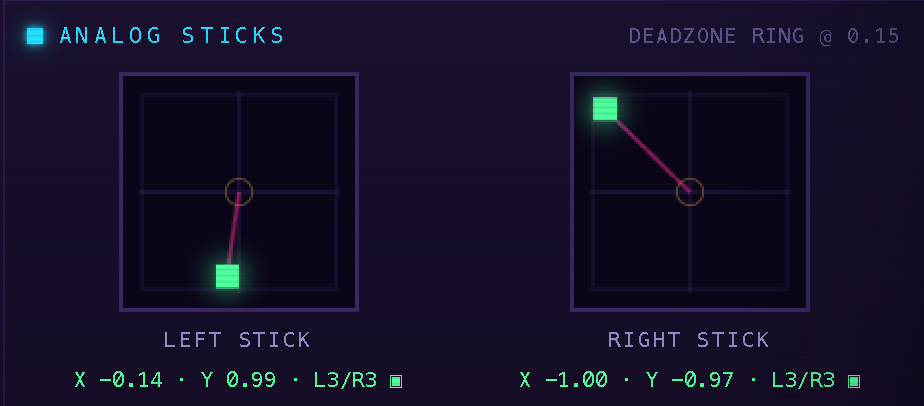
- Take your hands off the controller and watch the Analog Sticks panel.
- Now roll each stick slowly all the way around, then let go again.
If your stick is healthy-
- you'll see it resting inside the centre in the faint deadzone ring
- the stick will read at or be very near 0.00
- it will roll smoothly with no jumps or dead spots
If the dots on the sticks are floating or circling, or the numbers are not coming back to (or near to) 0.00, your stick(s) have drift.
Step 2: Try the fixes, easiest first
Reset the controller
Before things get complex, there's a simple straightforward fix that you can try-
If you are fixing stick drift on your dualsense controller- turn back your controller, and find the small hole on the back panel. Now, use a sim ejector tool, or a paper clip to press the button inside this small hole for 5 seconds. This will reset your DS5 controller. Now, you can get it back into pairing mode by first switching it off, and then keeping the PS and Create/Share buttons pressed together until the lights around the center button start flashing blue.
Once connected back, go back to the tester page and test again for stick drift.
Congratulations, if it is fixed! Move to the next step, if it isn't.
If you are fixing drift on your Xbox controller- press and hold the pairing/sync button on the top of the controller for 15 seconds (keep pressing until the controller vibrates and turns off.
After this, switch the controller back on and press and hold the same pairing/sync button for about 3 seconds (until the Xbox logo starts flashing rapidly).
Now, pair the controller back to your computer, go back to the tester page- gamepadtester.games and test again for stick drift.
If it's fixed- congratulations! If it's not fixed, try the next step(s).
Recalibrate and update firmware
PlayStation and Xbox both ship firmware updates that improve deadzone handling. If your controller has stick drift, you can connect it with your PC, launch the controller software (or Steam's settings), and find the calibration tool.
This won't repair worn hardware- no software can do that, but this can mask mild drift enough so you can keep playing for another couple of months.
Clean the stick module
Your stick may be drifting because of dust or oil build up around it. Before you screw it open, it's worth the try to blow a short blast of compressed air around the stick base, or pouring a few drops of a contact cleaner inside while you move the stick- this clears dust and oxidation off the contacts.
Replace the stick module
Honestly, if none of the above ideas have worked for you, replacing the stick module may be the only option you are left with. This is usually required when the potentiometer has worn out- in this case, no cleanser or software resets can bring it back. Replacement modules are cheap, but you'll be soldering. Record yourself (so, you can go back to the recording if you mess up at any step), work slowly, and note which screw came from where.
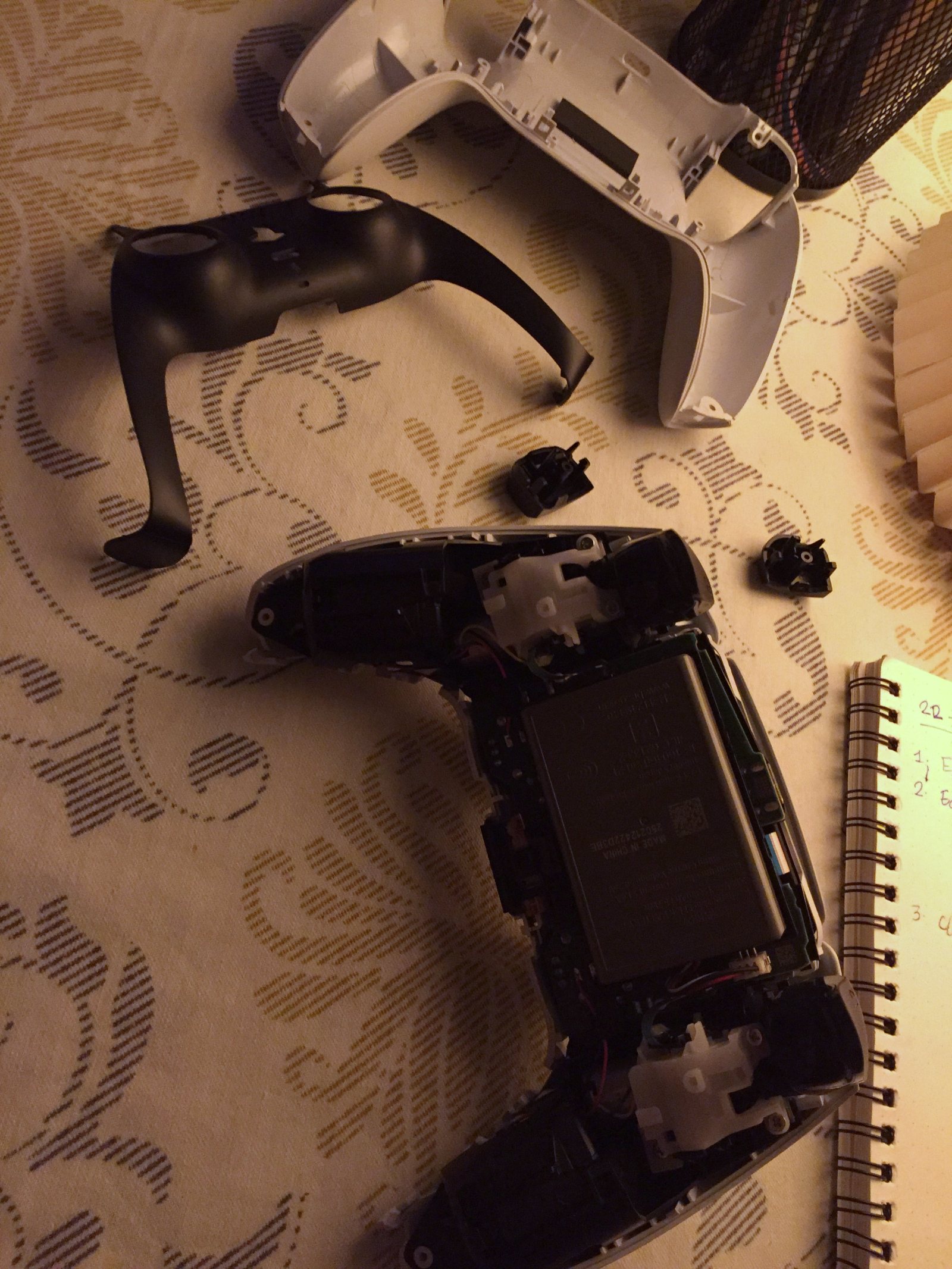
There's a full walkthrough in our guide to replacing a worn stick module.
Pro tip- upgrade to Hall-effect sticks
Hall-effect sticks read position with magnets instead of contacts, so there's nothing to wear away and they effectively don't drift. Drop-in kits exist for most popular pads, and if you're comfortable opening the controller, this is the fix that actually ends the problem- almost forever!
Or should you just get a new gamepad?
If your controller has gone too old, is out of warranty, and cleaning isn't helping, and you have the budget to go for a new controller right away- I'd say go for it.
But, on the other hand, I remember myself as a gamer in my college years. I used to have little money to spend on my desires and getting a new controller meant saving for a couple of months. If you are running with a limited budget and trying to minimize any overhead costs, get good quality parts, and fix them inside your old controller's body. It will work just fine, and you will learn a bunch of new things + it will be a happy, sweet, joyful evening.
After you have implemented any of the fixes, you can always come back to the tester page, connect your controller, and see if it's still drifting. I hope that's not happening though.
In all cases, all the best! If you need my help, you can drop down the comment below and I promise I'll respond to you.